Business Scenario
Oracle Fusion Cloud ERP user needs an option to upload a CSV file from his desktop and perform a custom processing on it by using Oracle Integration Cloud.
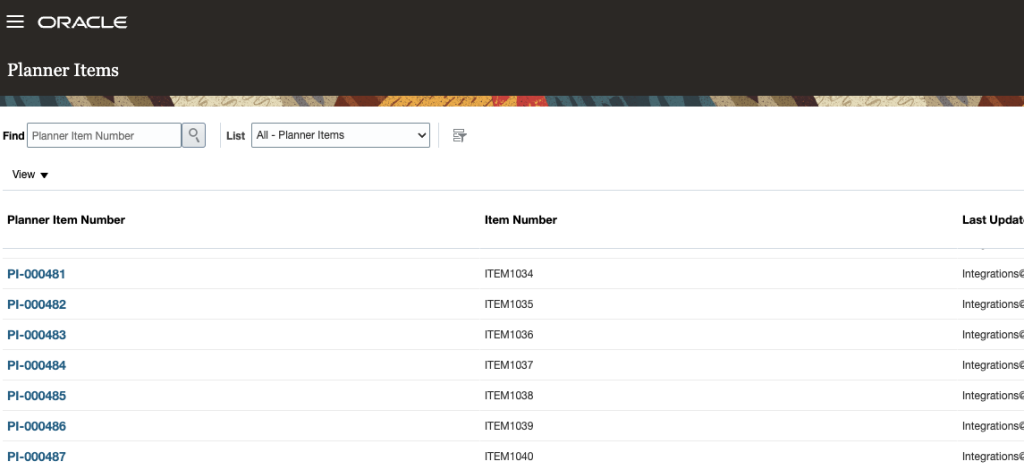
Example: A new custom object Planner Items is created. User needs an option to upload a CSV file containing the list of Planner Items which should be added to the custom object.
Solution Overview
- Utilize standard Fusion screen File Import and Export for uploading Files to UCM
- Create an Oracle Integration Cloud interface with REST endpoint invocation that receives the UCM file Document Id, parses and loads it into custom object
- Create a custom ESS job that receives Document Id of the uploaded file and submits a BIP Report
- Create a BIP Report that will utilize HTTP backend connection to Oracle Integration Cloud, will receive uploaded UCM file Document Id and will pass it to an OIC interface invoked by an HTTP call from BIP Data Model
Implementation
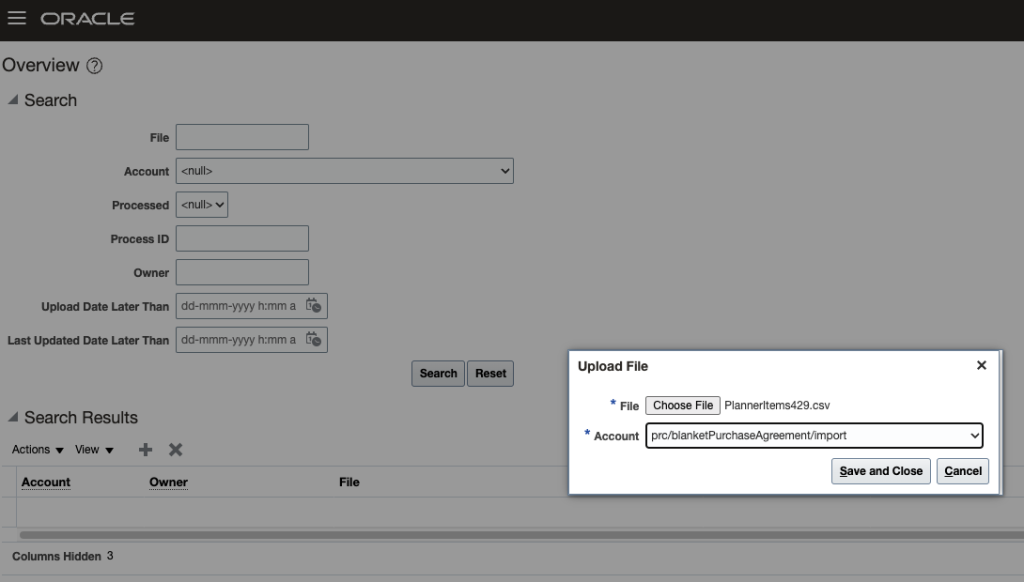
1. Standard File Upload
Select a file, specify an account:
2. OIC interface development
Start with App-Driven interface, use Sample REST as starting point:
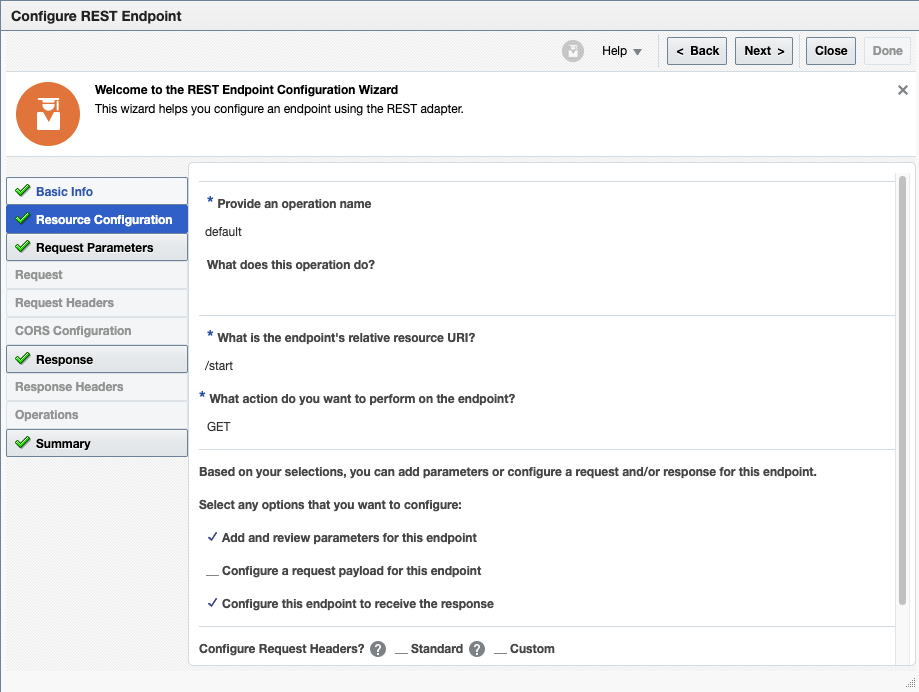
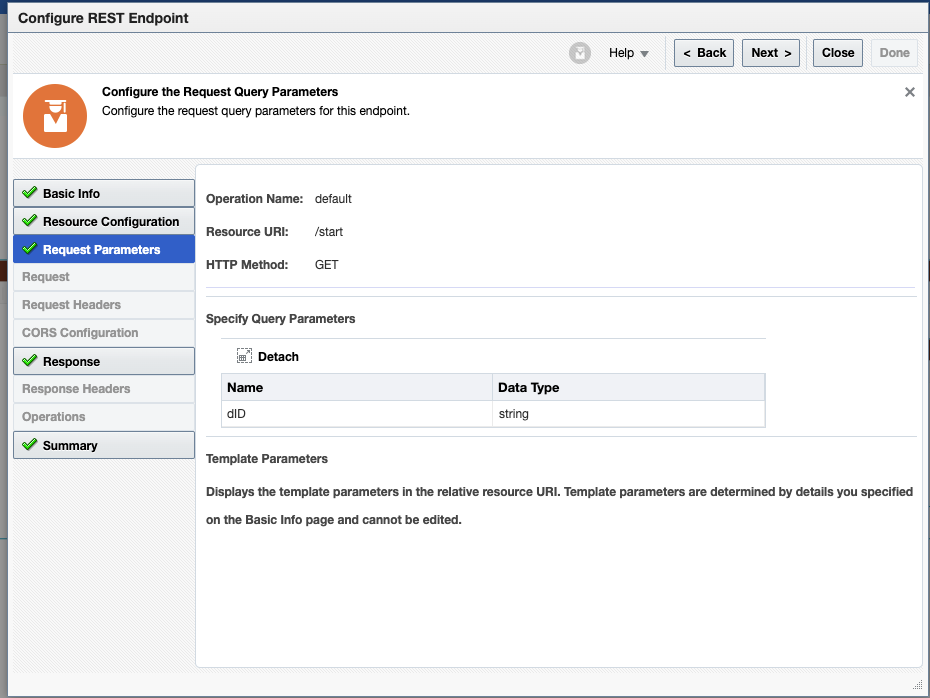
Define a query parameter to receive UCM Document Id:
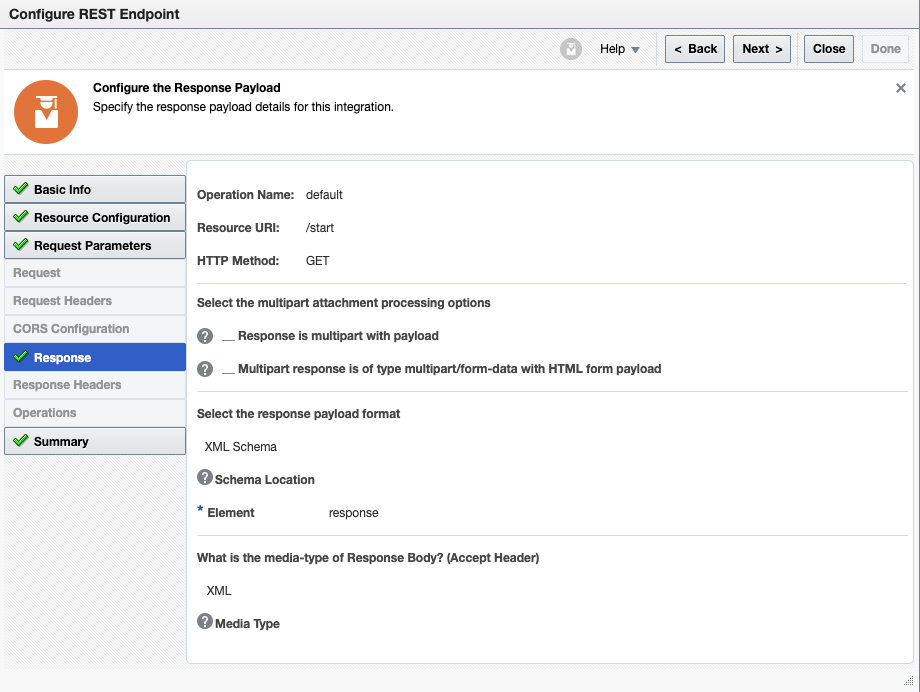
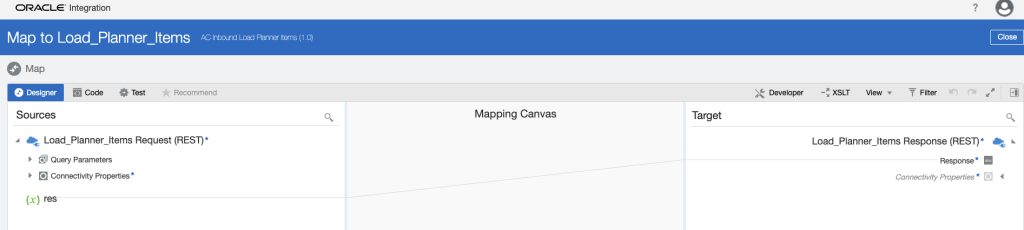
Define a response type of XML (to be parsed by BI Publisher HTTP connection later):
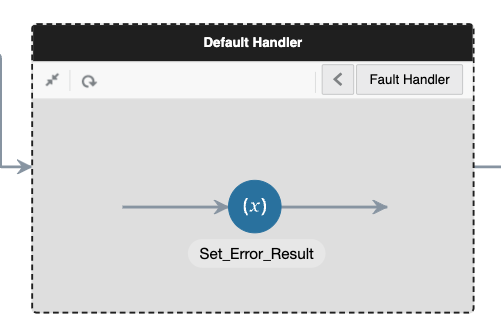
Utilize scope to catch any processing errors and always return a response to REST call:
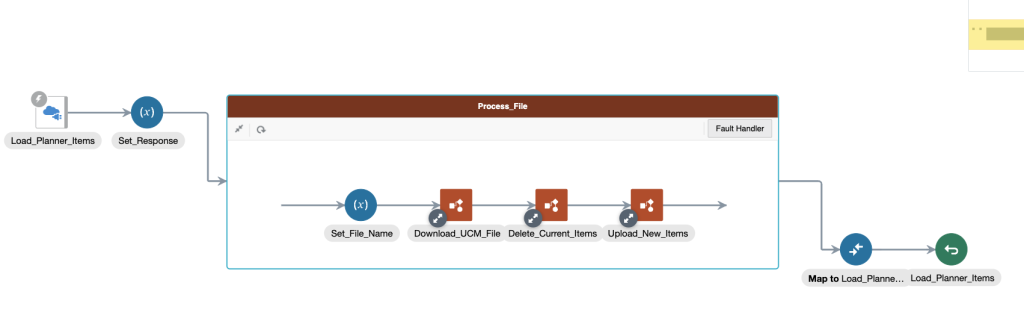
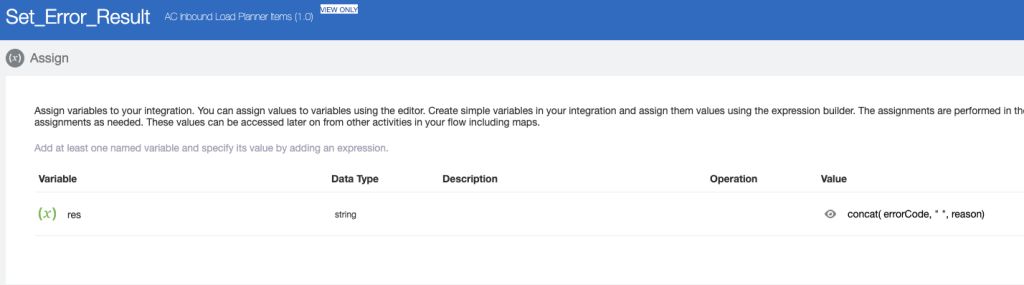
Use standard Cloud ERP Adapter to download a file from UCM:
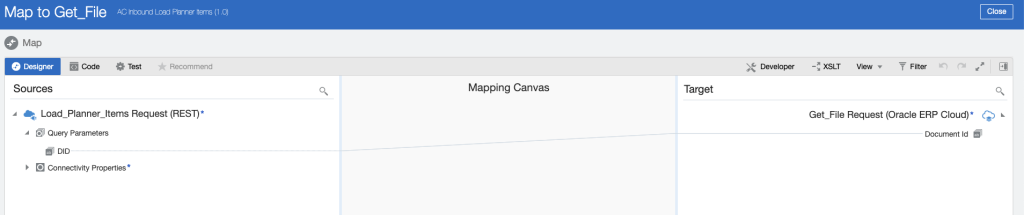
Always return result in success/error case:
3. Create a custom ESS Job
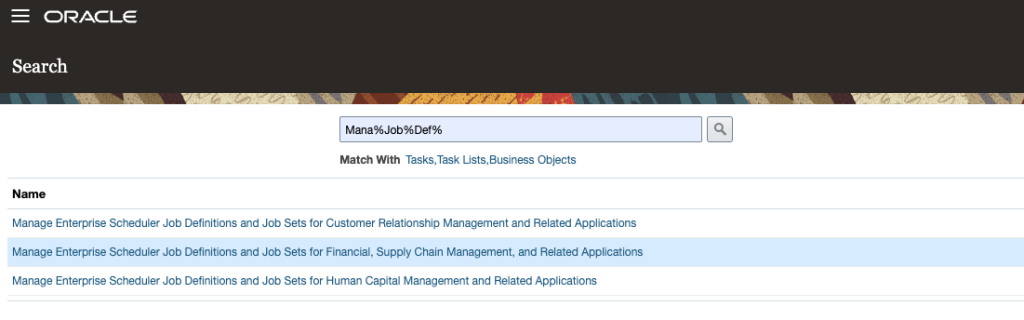
Navigate to Job Definition screen:
Create new ESS Job, enable submission from Scheduled Processes screen:
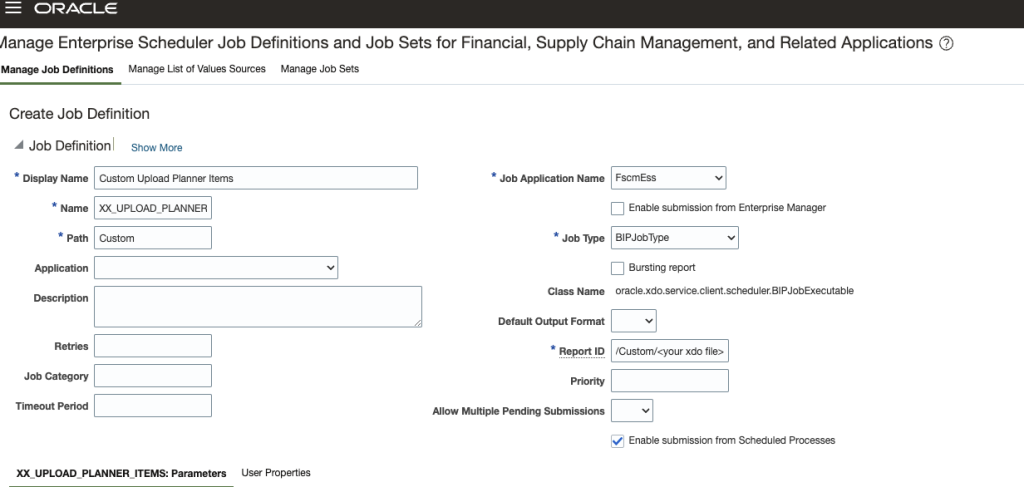
Define a File parameter with a List of Value Source to select files uploaded by a current user with the following SQL statement:
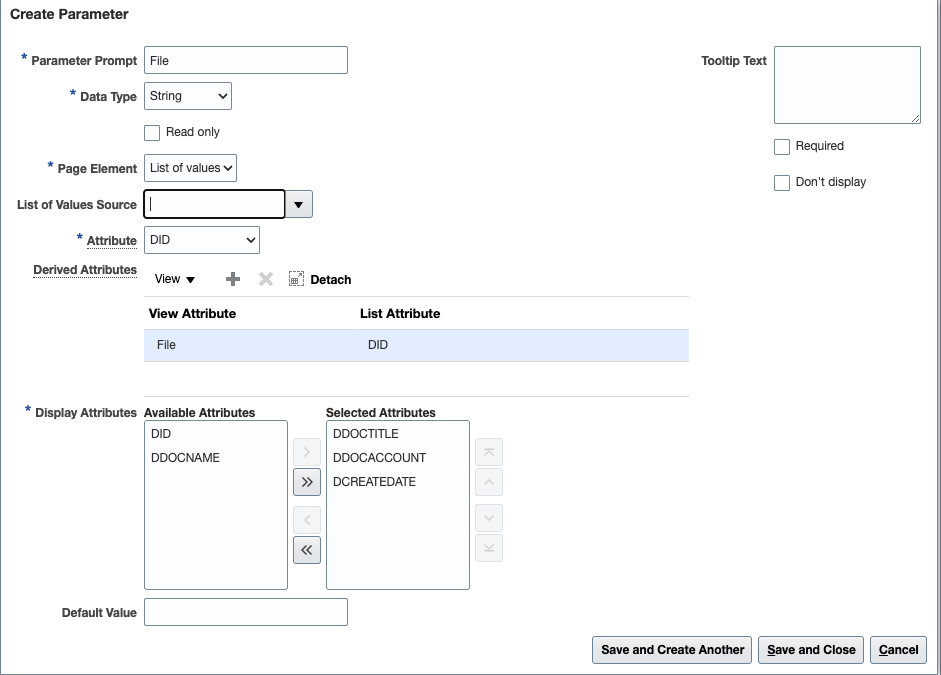
SELECT ROWNUM AS LOV_ID, did,ddoctitle,ddocname,ddocaccount,dcreatedate
from revisions
where ddocauthor=fnd_global.user_name
and  dcreatedate > trunc(sysdate)
and ddoctype='Application'
order by dcreatedate desc
4. Create a BIP Report
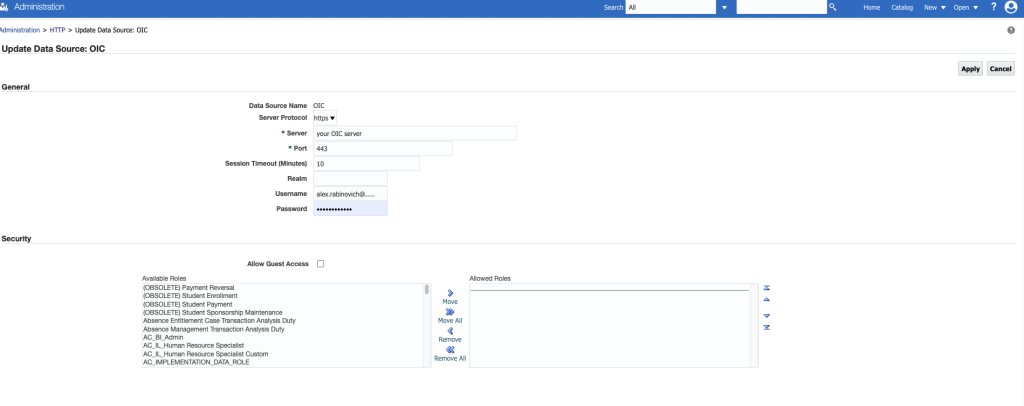
First configure an HTTP datasource from Administration panel of BI Publisher to an OIC instance:
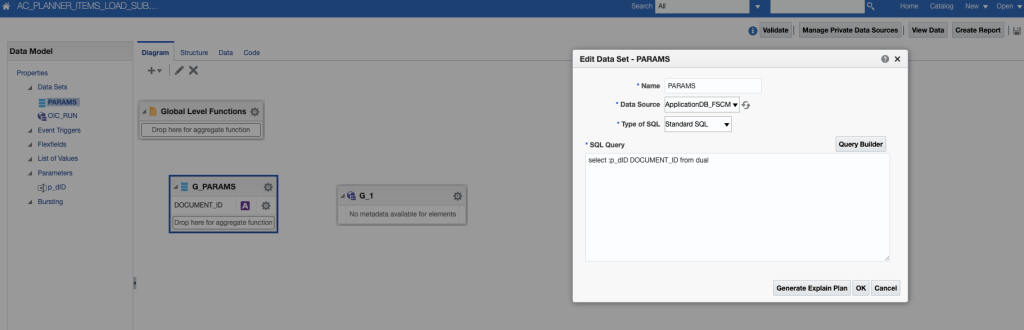
Create a data model that receives a Document Id and submits the OIC integration, use standard SQL dataset to return the received UCM Document Id into result set:
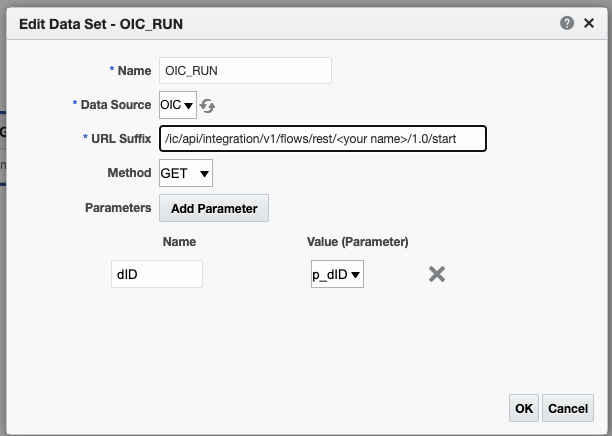
Create an HTTP dataset to initiate your OIC interface: